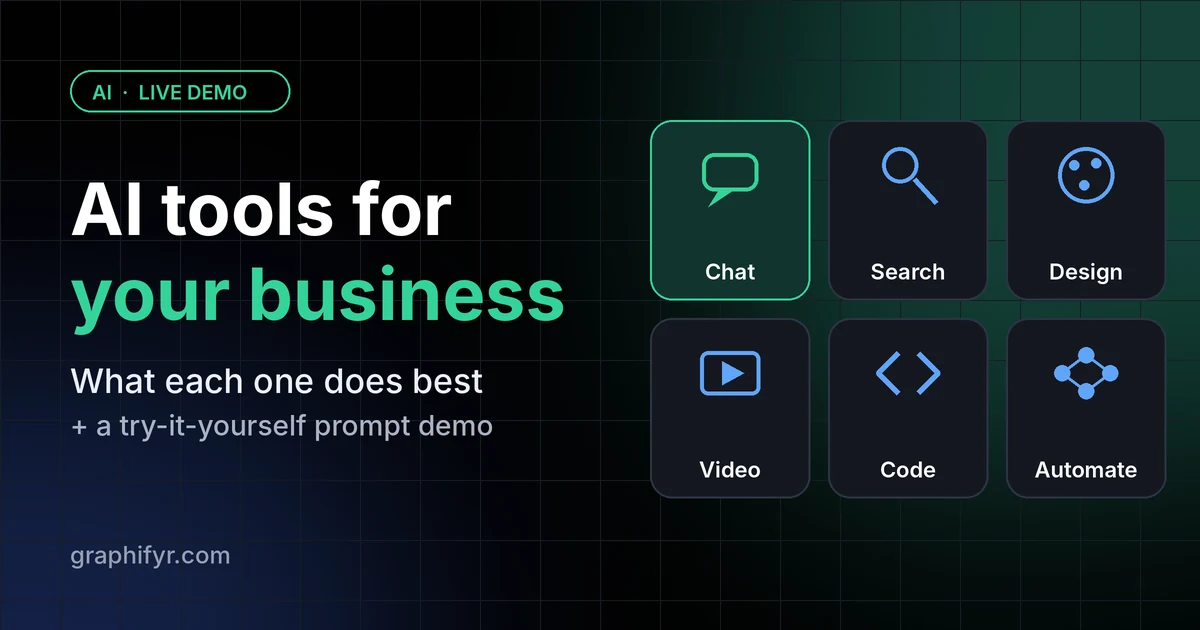
New AI tools appear almost every week, and it is easy to feel you are falling behind. The good news is that you do not need dozens of them. Most of what a small business needs falls into six kinds of tool, and each kind is good at a different job.
This guide explains what each kind does best, gives well-known examples, and ends with a small demo you can use right here to write better instructions (prompts) for any AI tool. Tool names, features and prices change quickly, so check each tool's own website for the latest before you pay for anything.
How to choose: start with the job, not the tool
Write down the three tasks that eat most of your week, such as replying to enquiries, creating social posts, or editing videos. Then pick the kind of tool that fits that task. A tool that is brilliant at images will not help with your invoices, and the reverse is also true.
1. Chat assistants
Examples: ChatGPT, Claude, Gemini, Microsoft Copilot
Best for: drafting emails and posts, summarising long documents, brainstorming ideas, rewriting text in a different tone, explaining unfamiliar topics, and turning rough notes into a clean outline.
Try this: paste a rough customer message and ask for a polite, short reply in two versions.
These are the best all-round starting point. Their quality depends heavily on how clearly you ask, which is why the demo below focuses on prompts.
2. AI search and research tools
Examples: Perplexity, Google's AI Overviews and AI Mode, and the search modes inside chat assistants
Best for: quick research that comes with links to sources, comparing options, and getting a first understanding of a new topic.
Try this: ask a question about your industry and open the cited sources to confirm the answer yourself.
The links matter. Always open them before relying on a number or claim, because summaries can be incomplete or wrong.
3. Image and design tools
Examples: Canva (with its AI features), Adobe Firefly, Midjourney
Best for: social media graphics, banners, presentation visuals, product mock-ups and concept ideas.
Try this: describe a post in one sentence, generate three styles, and pick one to finish by hand with your real logo and colours.
Check the licence and commercial-use terms of each tool before using generated images for a client or a product. For brand-critical work such as your logo, a human designer is still the safer choice.
4. Video and voice tools
Examples: CapCut, Descript, ElevenLabs
Best for: automatic captions, cutting filler words, resizing one video for several platforms, and creating voice-overs or translations.
Try this: upload a short clip and add auto-captions. Many viewers watch without sound, so captions often lift watch time.
Use cloned or synthetic voices only with permission, and tell your audience when content is AI-generated where it matters.
5. Coding and website tools
Examples: GitHub Copilot, Cursor, Claude Code
Best for: writing and explaining code, fixing errors, building small scripts, and speeding up routine page and plugin work.
Try this: paste an error message and ask what it means and how to fix it, then test the fix yourself.
Always review and test the code. These tools speed up a developer; they do not replace understanding what the code does, especially for security and payments.
6. Automation tools
Examples: Zapier, Make, n8n
Best for: connecting your apps so repetitive work runs on its own, for example sending new website enquiries to a spreadsheet and a WhatsApp or email alert.
Try this: automate one boring task, such as saving every contact-form entry into a sheet, before building anything larger.
Live demo: build a better prompt
The biggest difference between a weak and a strong result is usually the prompt. Pick a task, fill in your details, and the box below builds a clear, structured prompt you can copy into any chat assistant. It runs in your browser only, so nothing you type is sent anywhere.
A weak prompt
A strong prompt (role + task + context + format + limits)
This demo builds prompts only. Paste the result into ChatGPT, Claude, Gemini or any chat assistant to see it in action.
Notice what the strong version adds: a role (who the AI should act as), a clear task, your real context, the format you want back, and limits that stop it making things up. Use that five-part pattern with any tool and your results will improve straight away.
Use AI safely
- Protect private data. Do not paste passwords, payment details or personal customer information into a tool you have not checked.
- Check the facts. Verify prices, statistics, laws and quotes before publishing.
- Keep your own voice. Edit every draft so it sounds like your business and includes real details only you know.
- Check the rules. Review each tool's terms on commercial use, and tell people when content is AI-generated where it matters.
- List the three tasks that take most of your time.
- Pick one chat assistant and use it on those tasks for seven days.
- Use the five-part prompt pattern every time.
- Add one specialist tool (design, video or automation) only if a task still feels slow.
- Review the results weekly and keep what saves real time.
Frequently asked questions
Which AI tool should a small business start with?
Start with a general chat assistant such as ChatGPT, Claude or Gemini, because it helps with the widest range of everyday work: drafting, summarising, brainstorming and answering questions. Pick one, use it for a week on real tasks, and only add specialist tools for design, video or automation once you know which job takes the most of your time.
Are AI tools free?
Most popular tools offer a free tier with limits on usage or features, and paid plans that unlock more. Plans and prices change often, so check each tool's own website before you decide.
Is it safe to put customer or business data into an AI tool?
Be careful. Do not paste passwords, payment details, personal customer data or confidential documents into a tool unless you have checked its privacy settings and terms, and your own obligations to your customers. When in doubt, remove names and details first.
Can I trust what an AI tool tells me?
Treat it as a fast first draft, not a final answer. AI tools can state wrong facts, figures or sources in a confident tone. Check anything important, especially prices, legal or medical points, statistics and quotes, against a reliable source before you use it.
Want to learn these skills properly? Explore our courses in website development, SEO and digital marketing, or talk to us about building AI-ready workflows and a website that brings in customers.